betaka App — Play From Your Phone
Download the free betaka App for Android. Version 2.5.11 — 41 MB. Works on Android 6.0 and above. Deposit via bKash or Nagad, spin slots, and bet on cricket without opening a browser.
- SSL Encrypted
- Android 6.0+
- 24/7 Support
- 18+ Only
- bKash & Nagad
- Free Updates
- Auto Save
- Play Responsibly
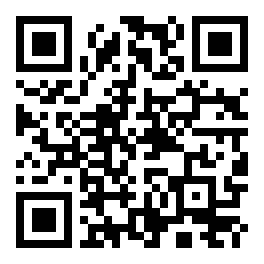
Scan to download
Before You Install — Know What You're Getting
The betaka App APK is not on Google Play — that is expected for licensed casino apps in Bangladesh. Here is exactly what the file does on your device and why it is safe to install.
APK Source & Integrity
The APK file you download directly from betaka.asia/download/betaka.apk is signed with the official betaka certificate. Do not install APK files from third-party sites or Telegram groups — they may be modified. After download, Android will verify the signature automatically before installation begins. File size: exactly 41 MB. If the file you downloaded is a different size, delete it and re-download.
Data & Login Security
All traffic between the betaka App and our servers runs over TLS 1.3 encryption — the same standard used by banks. Your account password is never stored on your device in plain text. The app uses a session token that expires automatically after periods of inactivity. If your phone is lost or stolen, contact 24/7 Live Chat and your account can be locked within minutes from our side.
App Permissions Explained
The betaka App requests three Android permissions. Internet — required to load games and process payments. Storage (read/write) — used only to cache game assets so pages load faster on slow mobile data connections. Notifications — optional; used only for deposit confirmations and promotion alerts. The app does not request access to your contacts, camera, microphone or location.
Account & Age Verification
The betaka App enforces the same 18+ age requirement as the website. When you register, you agree that you are at least 18 years old. Before your first withdrawal, KYC verification is required — you will need a National ID Card (NID), Passport, or Driving Licence. KYC review takes up to 6 hours. The app has a responsible gaming section where you can set deposit limits or request self-exclusion via Live Chat.
Install the betaka App on Android — 5 Steps
The whole process takes under three minutes on a standard mobile data connection. Follow these steps in order; skipping step 2 is the most common reason the install fails.
-
1
Allow Installation from Unknown Sources
Open your Android Settings. Go to Security (on some phones it is under Privacy or Apps). Find Install Unknown Apps and toggle it on for your browser app (Chrome, Firefox, or whatever you use to download). On Android 8 and above this setting is per-app, not global — make sure you enable it for the correct browser. You can turn this permission off again after installation is complete.
-
2
Download betaka.apk from the Official Link
Tap the Download APK button on this page or go directly to betaka.asia/betaka-app/ on your phone's browser. The download starts immediately — no email sign-up required. Wait for the 41 MB file to finish downloading. Your browser's notification bar will show a progress indicator. On slower connections (3G), allow up to 90 seconds.
-
3
Open the Downloaded File and Tap Install
Once the download finishes, a notification will appear at the bottom of your screen saying "betaka.apk downloaded." Tap Open. Android shows you an install confirmation screen with the app permissions listed. Review them, then tap Install. The installation takes 10–20 seconds. Do not press the back button during this step, or the install will be cancelled.
-
4
Open the betaka App and Log In or Register
Tap Open on the install success screen, or find the betaka icon on your home screen. The app loads the login page. If you already have an account, enter your username and password. New users tap Register — it takes about two minutes to create an account. Your login details are the same as the website; you do not need a separate account for the app. Visit betaka Login for password reset help.
-
5
Make a Deposit and Start Playing
After logging in, tap Deposit in the bottom navigation bar. Select bKash, Nagad, Rocket, Upay, or Bank Transfer. The minimum deposit is ৳400. Funds arrive in your betaka wallet within 6 minutes on average. First-time depositors receive the welcome bonus automatically — no coupon code needed. Check the Bonus tab in your account to confirm it has been applied before you start spinning. Visit betaka Deposit Guide for step-by-step bKash instructions.
iPhone & iPad (iOS)
Apple's App Store does not list casino apps for Bangladesh. iOS users can add the betaka website as a home screen shortcut that behaves like an app.
- Open betaka.asia in Safari (not Chrome).
- Tap the Share icon at the bottom of the screen.
- Scroll down and tap Add to Home Screen.
- Name it "betaka" and tap Add in the top right.
- The betaka icon now appears on your home screen. Tap it to open the full mobile casino in a standalone window without the Safari address bar.
Push notifications are not available via this method on iOS.
Version Details & Direct Download
CURRENT RELEASE
betaka.apk
Tap below to download directly to your Android device. File served from official betaka servers.
Download betaka.apk — FreeThe app checks for updates automatically each time you open it. When a new version is available, a banner appears inside the app — tap it to download the updated APK without leaving the app.

betaka App vs Browser — Side-by-Side
Both ways give you access to the same games and account balance. The app has a few clear advantages for everyday mobile players — especially on slower networks and for notifications.
| Feature | betaka App (Android) | Mobile Browser |
|---|---|---|
| Page Load Speed | Faster — assets cached locally | Reloads from server each visit |
| Push Notifications | Deposit confirmations, new promos | Not available on most Android browsers |
| One-Tap Login | Stays logged in between sessions | May require login after browser cache clear |
| Data Usage | Lower — game graphics pre-cached | Higher — full reload each session |
| Deposit via bKash | In-app flow, no redirect | Works, but may redirect to bKash app |
| Live Cricket Betting | Live odds update without page refresh | Manual refresh needed for odds update |
| Screen Real Estate | Full screen, no browser chrome | Address bar takes ~8% of screen height |
| Installation Required | Yes — 41 MB, one-time | No — open in any browser |
| Available on iOS | Android only | All iOS browsers |
What's Inside the betaka App
Over 3,400 games and betting markets, all playable on a ৳400 minimum deposit. Here is what each section of the app offers.
Slots & RNG Games
Titles from Pragmatic Play, JILI, Red Tiger and Playtech — including Treasures of Aztec (RTP 97.8%), Wild Bandito, Fortune Gems 2 and Golden Land. Filter by provider or RTP directly in the app lobby. Minimum bet from ৳1 on selected titles. Slot results use certified RNG — outcomes are independent of previous spins. Great for bKash deposits under ৳1,000.
Live Dealer Tables
Evolution and Sexy Gaming stream live Baccarat, Roulette, Dragon Tiger and Teen Patti from real studios with Bengali-speaking dealers during peak hours. Video quality adjusts automatically to your connection — it drops to 360p on 3G without cutting the stream. Minimum bet from ৳2. Table limits go up to ৳50,000 on VIP seats. Visit betaka Teen Patti Guide to learn the rules and side bets.
Crash & Aviator-Style Games
Spribe's Blocky Blocks (RTP 97.4%) is the flagship crash game on betaka. The multiplier climbs from 1.00× and you cash out before it crashes. Cash-out is a single tap in the app — faster than on the browser version because the button has no page latency. Minimum bet ৳1. You can run two simultaneous bets from one screen during BPL and IPL match days when these games get busiest.
Fishing Games
Mega Fishing (Playtech, RTP 95.7%) and Gold Toad Fishing (JILI) are the top fishing titles. You buy bullets, aim at fish on screen, and win coins based on the target's value. Works well on mobile because the touch controls map directly to tapping targets. Minimum bet from ৳2. Ideal for short play sessions — a full round of Mega Fishing takes 3–5 minutes on average.
Sports Betting
Bet on cricket (BPL, IPL, T20, ODI), football, and kabaddi. In-play odds update in real time inside the app without a page refresh — a clear advantage over the browser version. Shaolin Soccer (Evolution) combines slot mechanics with football visuals and has an RTP of 96.6%. Match schedules load on the app home screen on match days so you can check fixture times alongside your casino balance.
Deposits & Withdrawals
All five payment methods — bKash, Nagad, Rocket, Upay and Bank Transfer — are fully functional in the app. Deposits process in an average of 6 minutes; withdrawals complete in about 28 minutes. The minimum deposit is ৳400 and minimum withdrawal is ৳700. Tap the Wallet tab at the bottom of the screen to access both. Transaction history loads instantly from cached data even on weak connections.
Featured Games Available in the App

Installation Problems & How to Fix Them
These five issues cover about 90% of support tickets related to the betaka App install. Try the solution before contacting Live Chat.
| Problem | Likely Cause | Solution |
|---|---|---|
| "Install Blocked" message appears | Android's "Install Unknown Apps" permission is off for your browser. This is the default security setting and is expected — it does not mean the file is dangerous. The permission must be enabled per-app on Android 8 and above. | Go to Settings > Security > Install Unknown Apps. Select your browser (e.g., Chrome). Toggle Allow from this source to ON. Return to your downloads and tap the APK again. After successful install, you may toggle this back off. |
| Download stops or freezes at a percentage | Your mobile data connection dropped mid-download, or there is not enough free storage on your phone. The betaka APK is 41 MB — if your phone has less than 100 MB free (including space needed for installation), the download may fail silently. | Free up at least 200 MB of storage. Switch to Wi-Fi or move to a stronger 4G signal area. Delete the partial download file from your Downloads folder, then tap the Download APK button again from this page. Do not resume — start fresh. |
| App crashes immediately after opening | The APK file was corrupted during download, or your Android version is below 6.0 (the minimum supported version). Occasionally, a conflicting older version of the betaka App is still partially installed on the device. | First, uninstall any existing betaka App from your device (Settings > Apps > betaka > Uninstall). Then delete the APK from Downloads. Re-download the APK from betaka.asia/betaka-app/ and reinstall. If your Android is below 6.0, use the mobile browser instead. |
| Login works but games do not load | The game assets need to be downloaded on first launch, which requires a stable connection. If your internet dropped during the initial asset load, the game lobby may appear blank or show spinning loaders indefinitely. | Close the app completely (remove from recent apps). Connect to Wi-Fi. Reopen the betaka App and wait 30 seconds on the home screen before tapping any game. If the problem persists, go to Settings > Apps > betaka > Clear Cache and relaunch. Do not clear app data, as this will log you out. |
| Deposit via bKash not reflected in balance | bKash deposits can occasionally be delayed by the mobile banking network during peak hours (evenings, BPL match days). The average processing time is 6 minutes, but network congestion may extend this. The transaction has likely succeeded on the bKash side even if your betaka wallet has not updated yet. | Wait up to 15 minutes and pull down to refresh your wallet balance. Check your bKash transaction history to confirm the send went through. If your bKash shows the deduction but betaka wallet shows nothing after 15 minutes, take a screenshot of your bKash transaction ID and contact 24/7 Live Chat with that reference number. |
App — Questions Players Ask First
Quick Answers
- APK is safe — official source only
- Android 6.0+ · 41 MB · Free
- Updates inside the app — no re-download
- Same account as website
- 24/7 Live Chat support in-app
Is the betaka APK file safe to install on my Android phone?
Yes — as long as you download it from betaka.asia/betaka-app/ only. The APK is signed with an official betaka certificate that Android verifies automatically before installation. The app does not access your contacts, camera, microphone, or location. It only requests internet access, limited storage for game asset caching, and optional notifications. Never install APK files shared via Telegram or third-party download sites, as those may be modified versions. If in doubt, delete the file and re-download directly from this page.
My phone shows "Install Blocked" — what do I do?
This is Android's default security behaviour for apps downloaded outside the Play Store — it does not mean the file is malicious. To fix it: open Settings, go to Security (or Privacy on some phones), tap Install Unknown Apps, select the browser you used to download the APK (such as Chrome), and enable Allow from this source. On Android 7 and below, the setting is global under Security — just toggle Unknown Sources to ON. Return to your Downloads folder and tap the betaka APK again. You can disable the permission again after installation is complete.
Do I need a new account for the app, or does my website login work?
Your existing betaka account works directly in the app — no separate registration is needed. Open the app, tap Log In, and enter the same username and password you use on the website. Your wallet balance, VIP level, active bonuses, and transaction history all sync in real time between the app and the website. If you have not registered yet, you can create an account inside the app in about two minutes. Visit betaka Register for full instructions, or tap the Register button at the top of this page.
How do I update the betaka App when a new version is released?
The betaka App checks for updates automatically each time you open it. When version 2.5.11 is superseded, a banner appears on the home screen of the app saying a newer version is available. Tap that banner — it opens a download page inside the app. Download and install the new APK the same way you installed the first one. You do not need to uninstall the old version first; the new APK will upgrade it in place and keep your login session and settings. If you dismiss the banner, you can manually check for updates in the app's Settings menu under About > Check for Updates.
Can I use bKash and Nagad to deposit inside the app?
Yes. All five payment methods — bKash, Nagad, Rocket, Upay, and Bank Transfer — are fully supported inside the betaka App. Tap the Wallet icon at the bottom of the screen, then tap Deposit. Select your payment method, enter an amount (minimum ৳400), and follow the on-screen steps. For bKash and Nagad, the app handles the transaction without redirecting you to a separate browser tab. Average deposit processing time is 6 minutes. For a detailed walkthrough, see the betaka Deposit Guide.
Why is the betaka App not on the Google Play Store?
Google Play's global policy restricts real-money gambling apps in most countries, including Bangladesh. This applies to all licensed casino platforms operating in the region — not just betaka. The official APK from betaka.asia is the correct and intended way to install the app on Android. The file is safe, verified, and updated regularly. For iPhone users, the equivalent is adding betaka.asia as a home screen shortcut in Safari, which provides a near-identical experience to a native app without an APK download.
What happens to my balance and bonuses if I uninstall the app?
Uninstalling the betaka App does not affect your account, wallet balance, or active bonuses in any way. Your account lives on betaka's servers — not on your phone. Everything is still accessible via the mobile website at betaka.asia or via the app after you reinstall it. Simply log in with your existing credentials and your account will be exactly as you left it. The only thing lost when you uninstall is the cached game assets, which will re-download automatically the next time you open the app after reinstalling.